
What Odoo looks like for a trade business.
Follow one job from the first call to paid. This is the Field-to-Invoice flow I set up for trade and contractor clients.
From the first call to paid, in one system
Click through a job the way it moves through Odoo once it is set up for a trade business.
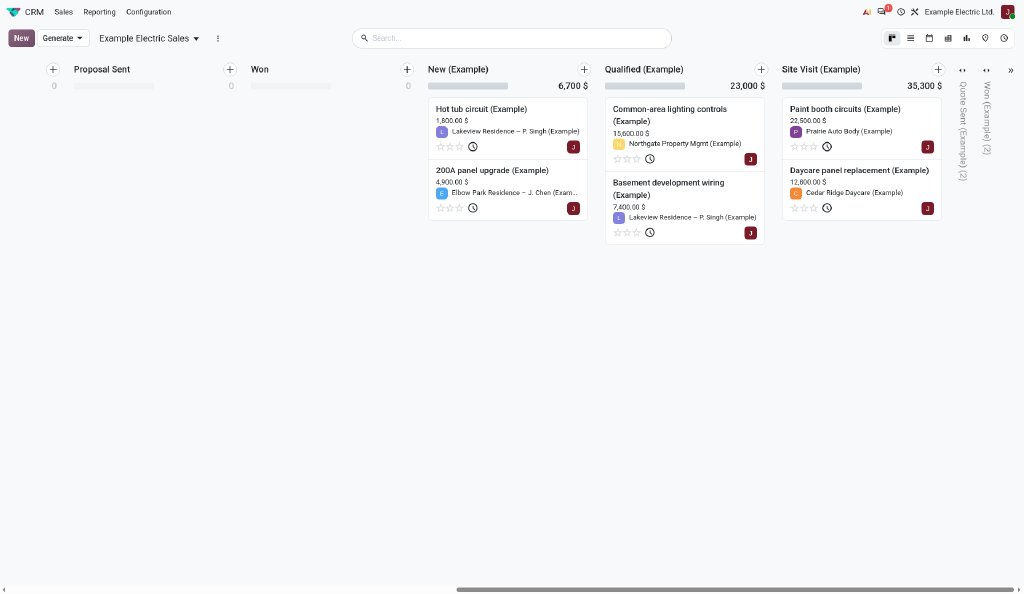
Lead
A customer calls or fills in your website form
The enquiry lands in Odoo CRM automatically. No sticky notes, no lost voicemails.
Quote
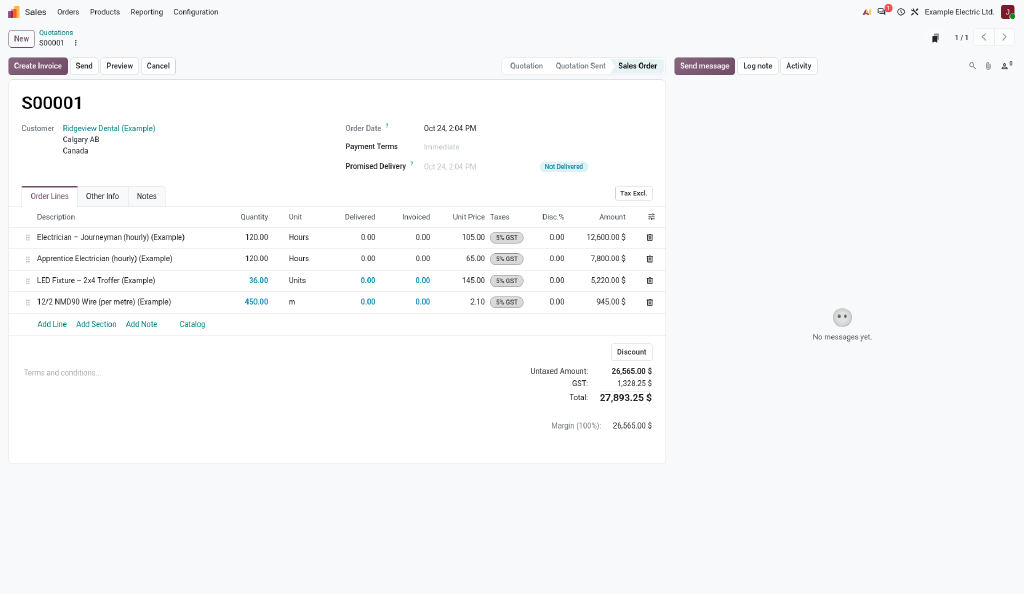
Build the quote from your price list
Send a professional quote by email. The customer signs online, and it becomes a confirmed order.
Job
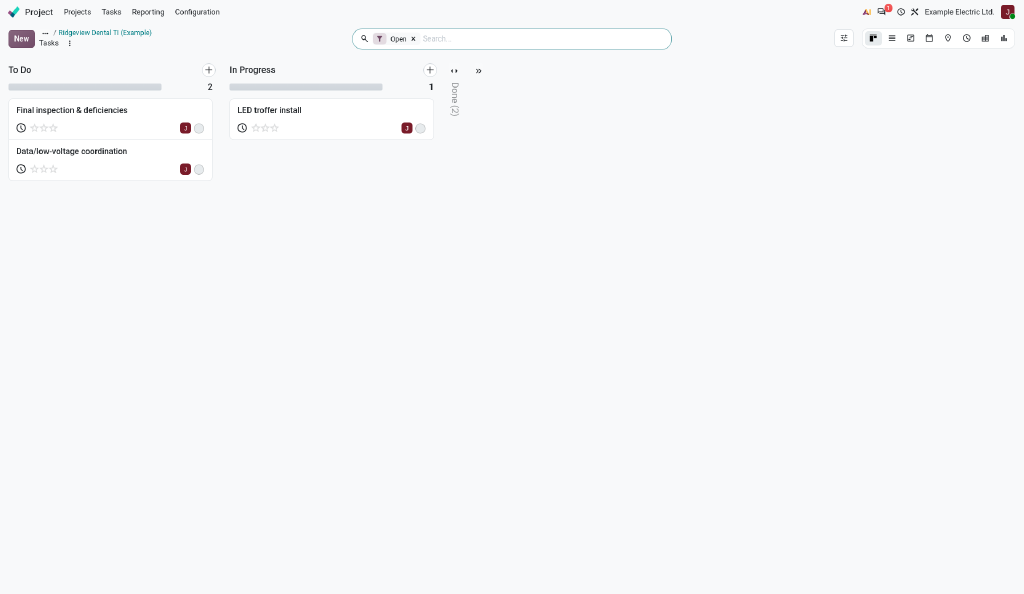
The signed quote becomes a job for the crew
The job and its tasks are created from the order. The crew sees the work on their phone.
Time & Materials
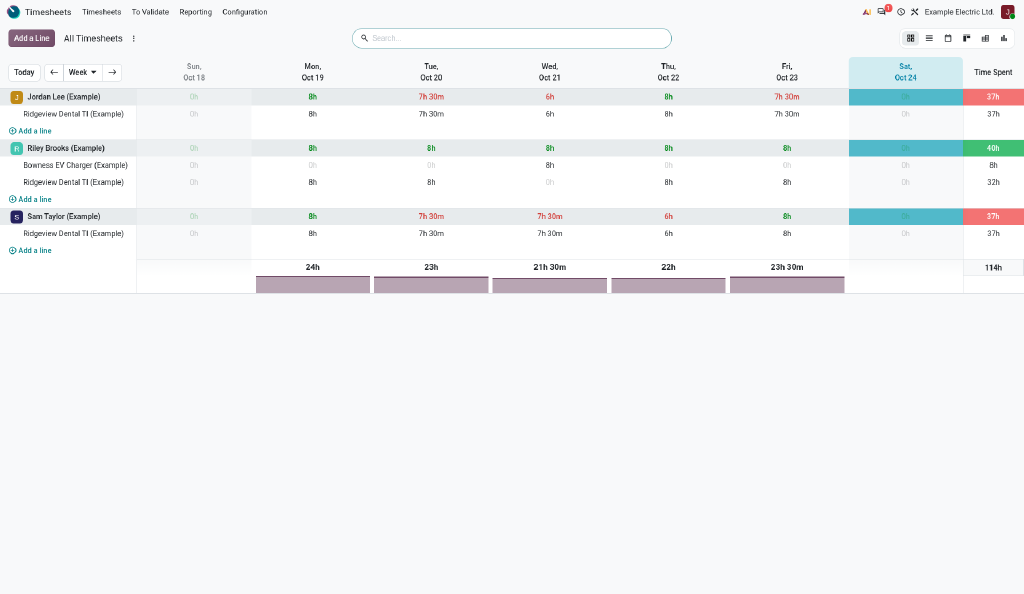
Crews log hours and materials from the field
Hours and materials go straight onto the job, so you always know what it really cost.
Invoice
Invoice the day the work is done
One click turns the job into an invoice. No re-typing, no waiting for paperwork.
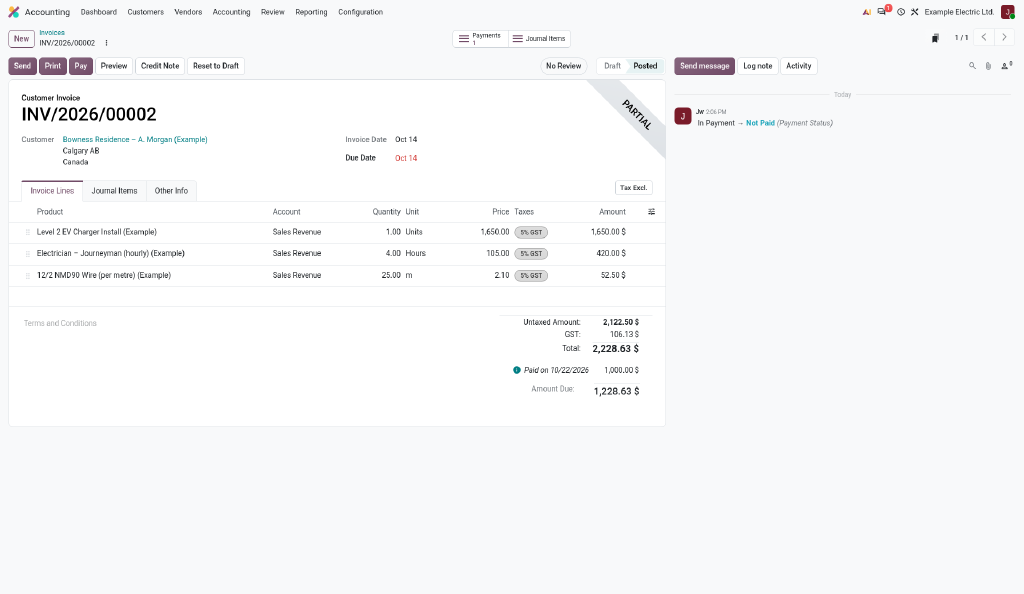
Paid
Payment matched, job closed
The payment is matched to the invoice, and you see profit per job without a spreadsheet.
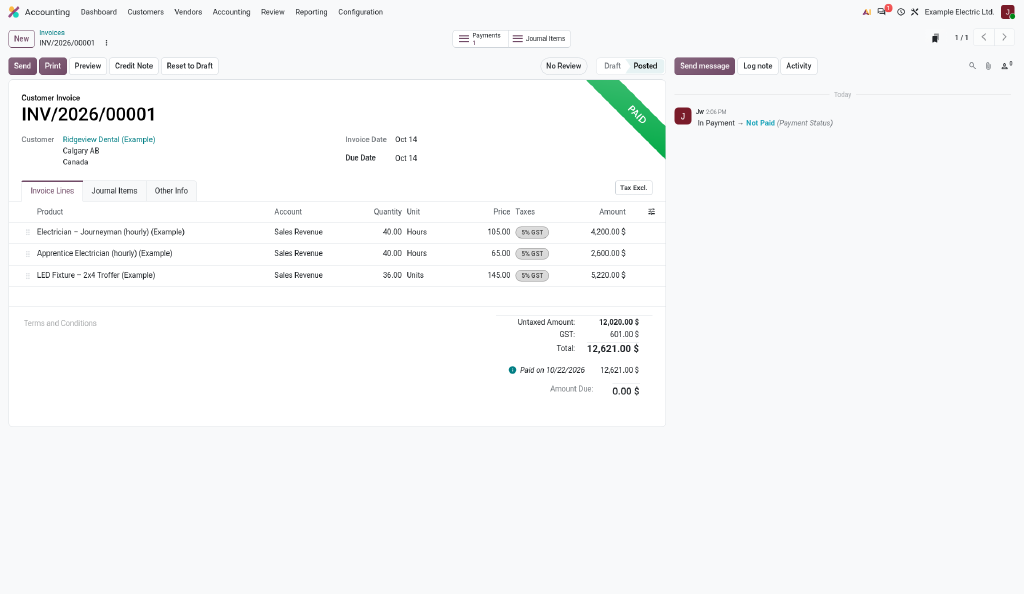
Example data for illustration only. Your system is set up around your own jobs, prices and crews.
Watch the full 10-minute demo
The complete walkthrough of a job, from the first lead to a registered payment.
From free call to Field-to-Invoice in 5 steps
It starts with a free 30-minute discovery call. If it is a fit, we take your business from the field to the invoice in five clear steps.
Discovery call
A free 30-minute call about how your business runs today and whether Odoo fits.
Design
We map how you actually work, from quotes and jobs to purchasing, inventory and invoicing, and agree on the Odoo layout before anything is built.
Build
We configure Odoo around that design and import your customers, products and open jobs, so you start with your own data.
Training
Hands-on sessions for field crews and the office, using your real jobs. Your team learns to run it themselves.
Support
After go-live we answer questions, fix issues and adjust workflows as your team settles in.
Field Service
Your crew works in one simple mobile app: today's jobs, time tracking, materials used, job photos, worksheets and customer signature on site. The office handles timesheets and billing in the back end.
Training & Safety
Courses and quizzes for new hires, plus field level hazard assessments, vehicle and tool inspections, incident reports and daily job logs, all under one roof.
Start with a free 30-minute call
We'll talk about how you run jobs today and where the time goes. By phone or Google Meet. No sales pitch, no obligation.